 Notch
The scorer
- Photograph each card and get it scored and totalled
- Check a close shot on the photo and correct the mark
- Put the session on the range TV as a scoreboard
For clubs, teams and coaches
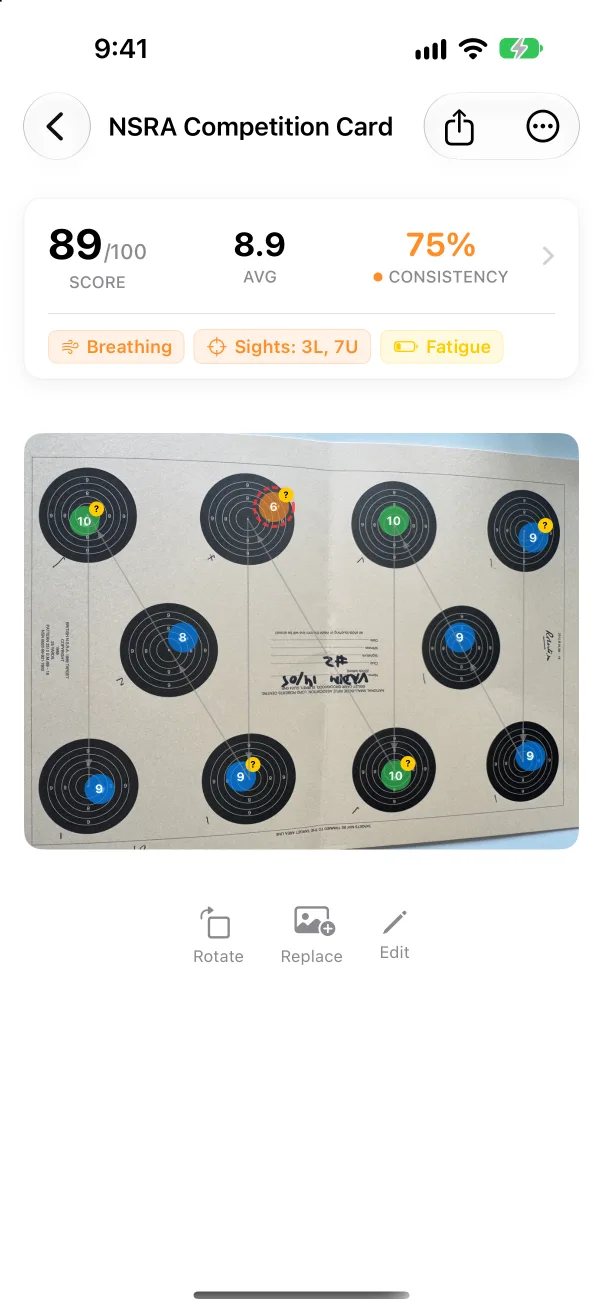
Photograph a card and Notch marks every shot, scores it and totals the card. One scorer can do the whole round, or each member can score their own.
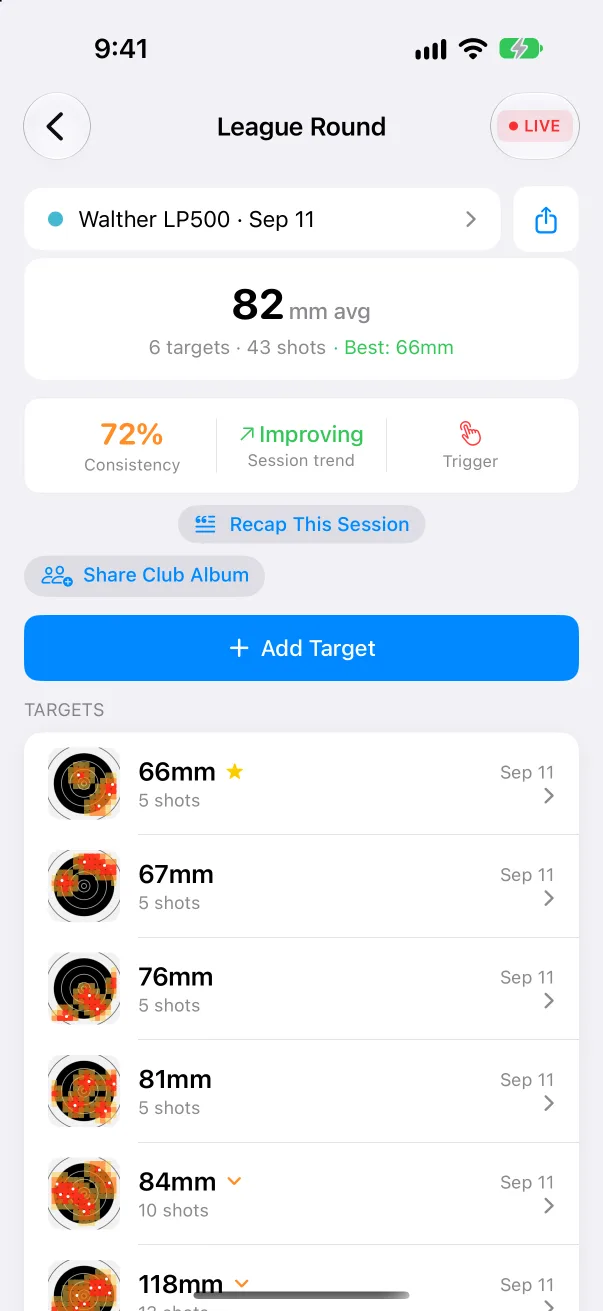
The scoreboard and the shared album need iOS 27. The rest runs on iOS 18 or later.
Scoring
The scorer or the member photographs the card. Notch marks each shot, scores it and measures the group. It runs on the phone, so a range with no signal is fine.
Scores
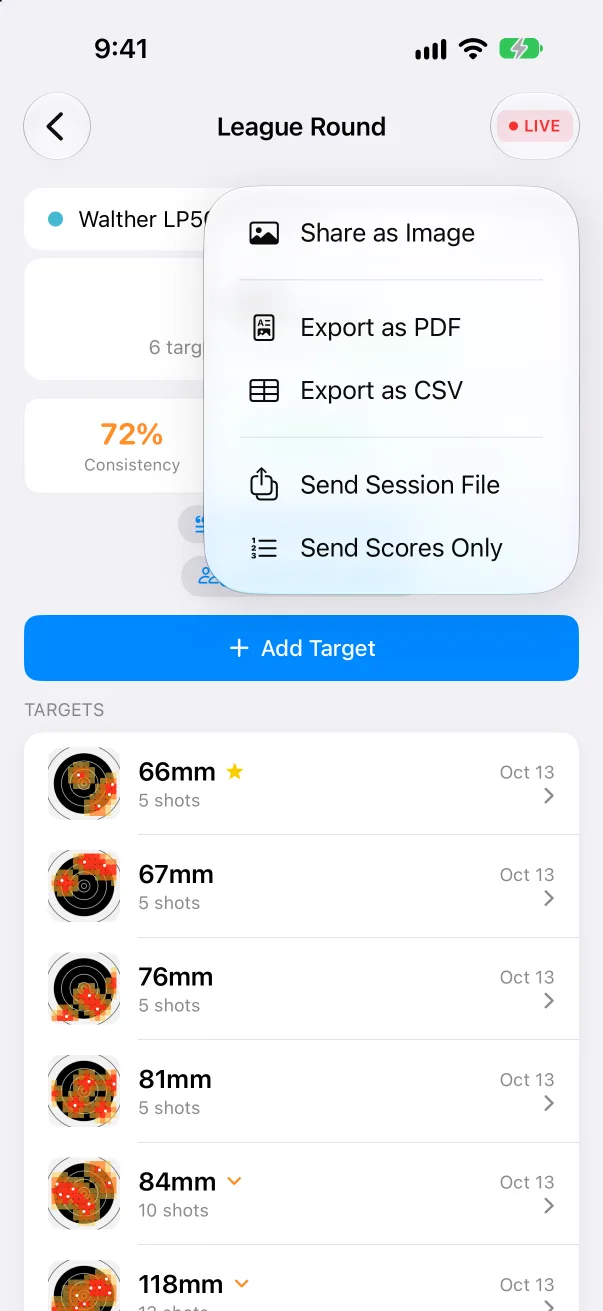
From the export menu a member sends the session as a PDF or a CSV, or sends the scores alone.
Coaching
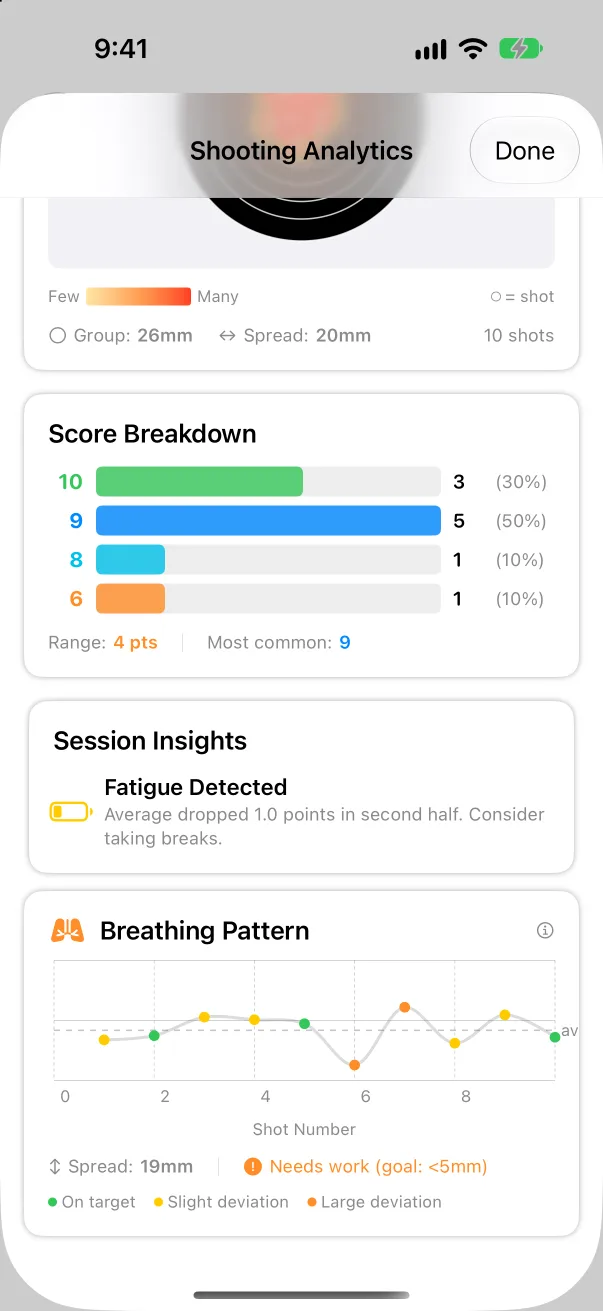
A session file opens in the coach's Notch with every shot, the rings and the score. Notch flags the pattern it sees in the group and says what to try.
Club plans
A club plan covers every member who shoots, at a lower rate per member than separate subscriptions. The same goes for a school or university team, or a coach with a squad.
The club buys Notch for its members in one go, at a lower rate per member than separate subscriptions. Email us the number of shooters and the cards you shoot, and we reply with a price.
Yes. The scorer photographs each card, and Notch marks every shot, scores it and totals the card. A close shot can be checked on the photo and corrected. In an outside league, its conditions say who scores the cards.
No. One scorer with an iPhone can photograph and score every card. Notch runs on iOS 18 or later and has an Apple Watch app.
Yes. The member sends a session file from the export menu. It opens in the coach's Notch with every shot, the rings and the score as they were. Sending the scores only leaves the photos out, so the file is small enough to email.
On iOS 27, yes. Connect the iPhone to a display and the session appears as a scoreboard with the total, the shots, the cards, the average and the last card. The phone keeps scoring.
Scoring runs on the iPhone, and we run no server that receives the photos. A member chooses what to share and with whom.
Running matches from a range computer? See Notch next to Orion Scoring System.


 App of the Day
from the creators of
 murmur
 Layered